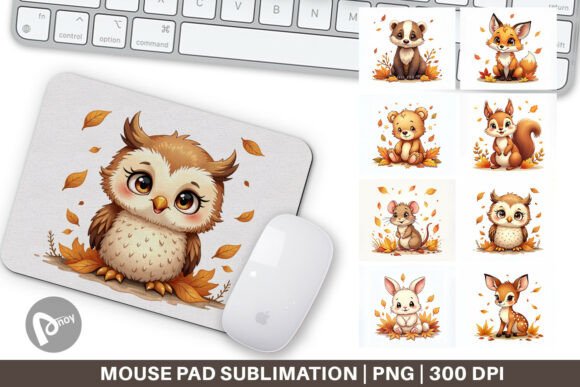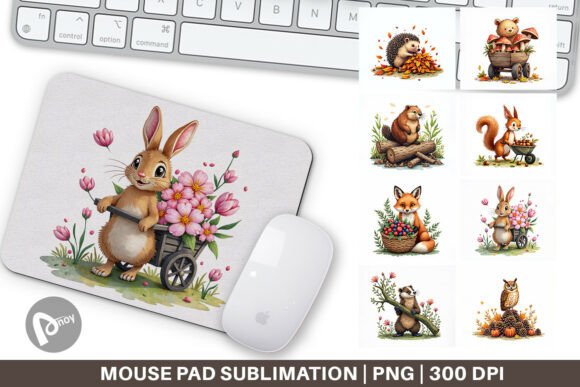
Woodland Critters Watercolor Mouse Pad
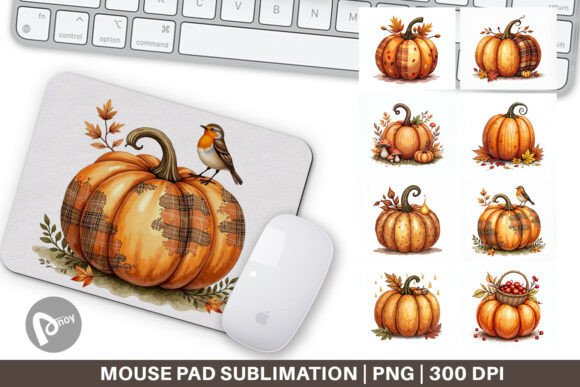
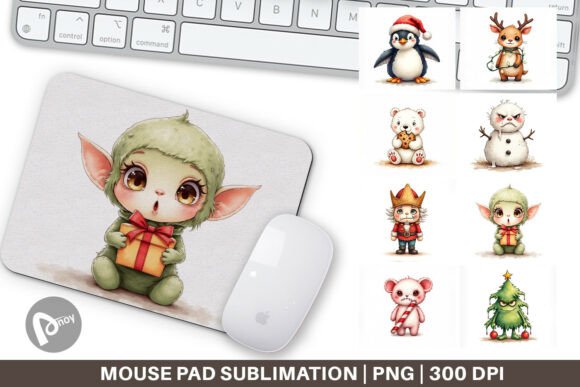
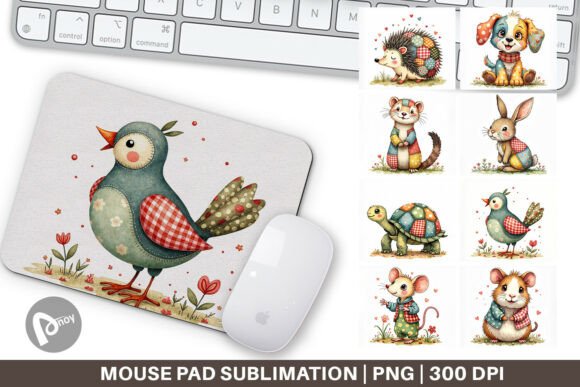
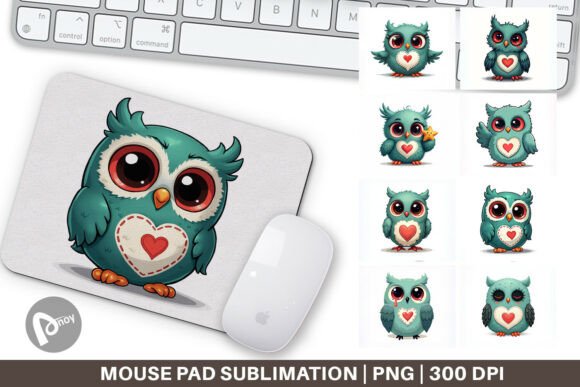
Creating a workspace that supports focus and comfort doesn’t happen by accident. It’s a series of deliberate choices, from the chair you sit in to the surface your mouse glides across. The Woodland Critters Watercolor Mouse Pad is more than a decorative accent. It’s a practical element you can bring into your office or gaming room to align your environment with how you actually work. When you work with the digital files—eight PNG designs, each measuring 9.5 by 8.1 inches at 300 dpi—you’re not just receiving artwork. You’re gaining a starting point for producing a physical tool that sits at the intersection of aesthetics, ergonomics, and personal workflow.
Many people underestimate how much a mouse pad influences daily computer use. A well-chosen surface improves cursor accuracy, reduces wrist strain, and quietly sets a visual tone for the hours you spend at a desk. The woodland critters theme, rendered in soft watercolor washes, avoids loud patterns that distract. Instead, it offers a gentle, nature-inspired backdrop that keeps the mind calm during repetitive tasks, creative problem-solving, or long strategy sessions. This isn’t about chasing a trend. It’s about supporting the kind of consistent, clear-headed performance that professionals and creators rely on.
Where This Design Fits in a Larger Desk Setup Strategy
Before any cursor moves, successful desk organization starts with a plan. You identify the tools you reach for most often, the visual clutter that drains attention, and the physical discomforts that creep in after hours of use. The mouse pad becomes a zoning element on your desk—it marks the area where your hand rests and your mouse operates. By choosing a design like Woodland Critters Watercolor, you’re making an intentional visual boundary. That boundary helps your brain switch into focused work mode, much like a designated workspace in a larger room helps separate professional duties from home life.
This digital download integrates into that planning phase easily. Because you receive the file set before the physical product exists, you can preview how the colors and composition will interact with your monitor’s glow, your keyboard’s backlighting, or the natural light falling across your desk. You can test the design against different desk mat materials or even decide to print multiple versions for different locations—one for your main office, another for a secondary standing desk, a third for a travel setup. The flexibility means your workspace aesthetic remains consistent as your environment evolves.
Preparing for Sublimation: Turning Pixels into a Functional Surface
If you’re unfamiliar with sublimation, the process isn’t complicated but does require attention to a few key details. You’ll take one of the eight PNG files and transfer the image onto a polyester-coated mouse pad blank using heat and pressure. The ink turns from a solid into a gas, bonding permanently with the surface fibers. The result is a vibrant, smooth, and durable image that won’t peel, crack, or fade under constant wrist movement and mouse friction. This durability matters for anyone who logs significant computer time. A worn-out pad with a degraded surface forces your mouse sensor to work harder, leading to tiny, repeated adjustments that add mental and physical fatigue over a day.
Before you apply heat, inspect each file at full resolution. The 9.5 by 8.1-inch dimensions give you a generous canvas, but you’ll want to confirm that the placement of focal elements—the fox peeking around a tree stump, the rabbit dozing among ferns, the layered leaves—works with how you position your mouse. Most right-handed users rest their wrist on the bottom-left or center of a pad. If a detail-heavy area sits directly under your palm, you might obscure it, which reduces the visual benefit. Spend a few minutes mirroring or shifting the artwork in your editing software so that the most calming, open sections fall where your hand lands. This small preparation step is often overlooked but goes a long way toward a professional finish.
Workflow Integration: Before, During, and After a Project
Consider how a mouse pad like this fits into a real workday. In the morning, as you sit down and place your hand on the textured surface, the muted greens, browns, and soft animal silhouettes can act as a subtle cue. It signals a transition into a maker’s mindset—whether you’re coding, designing, writing, or analyzing data. The watercolor style, with its imperfect edges and blended hues, encourages a more flexible, less rigid approach to thinking. That’s useful because creative blocks often stem from an overemphasis on perfection. Having a visual reminder that organic, hand-painted aesthetics are valid can nudge your brain toward exploration rather than hesitation.
During focused sessions, the pad supports precise movements. A sublimated surface, when properly produced, offers a consistent glide that pairs well with both optical and laser mice. You won’t experience the tiny jumps or tracking inconsistencies that come from using a cheap, patterned pad where the ink sits on top of the fabric rather than within it. This consistency lets you execute repetitive tasks—selecting fine details in a design layout, editing cells in a spreadsheet, dragging timelines in a video editor—with fewer micro-corrections.
After a project wraps, the pad’s role shifts. It becomes a place where you can pause, review, or simply rest your hand while reading a report. The animal characters aren’t demanding; they don’t pull focus. Instead, they provide a subtle presence, like a screensaver you can touch. For those who practice mindfulness or take micro-breaks during the day, letting your gaze soften on the familiar woodland scene can lower stress reactivity more effectively than glancing at a blank, corporate-issued black rectangle.
Selecting Compatible Materials and Managing Quality Control
Not all mouse pad blanks are equal. For sublimation, you need a surface with a high polyester content. Look for blanks specifically sold for heat-transfer projects—commonly a neoprene base topped with a polyester fabric layer. The thickness matters too. A pad around 3 to 5 millimeters provides enough cushioning to keep your wrist neutral without being so thick that your arm angles upward uncomfortably. Test different thicknesses if you can, but even a single well-made blank will deliver noticeable comfort improvements over a bare desk.
Color accuracy is another area where preparation pays off. Watercolor illustrations, by nature, have delicate gradients. If your heat press temperature is too high or your time is off, the blues can shift toward muddiness, and the light background tints may yellow. Always follow the manufacturer’s recommended settings—typically around 400°F for 40 to 60 seconds at medium pressure—but run a small test on a similar scrap fabric first if you’ve never used a particular blank before. This testing phase might seem tedious, but it prevents the frustration of producing a faded or blotchy final product that doesn’t do the artwork justice.
- Check your PNG color profile: Convert to sRGB if you’re printing at home to maintain a consistent color gamut.
- Mirror your image before printing: Sublimation transfers reverse the image, so flip it horizontally unless the blank’s coating requires otherwise.
- Use quality sublimation paper and inks: Generic supplies can cause banding in large, uniform color areas—a problem especially visible in the subtle sky or leaf washes of the woodland design.
- Let the pad cool completely before handling: Rushing can cause the rubber backing to detach or the image to warp.
Long-Term Use, Maintenance, and Desk Evolution
Sublimated mouse pads hold up well over time, but a little care extends their life. Wipe the surface with a damp cloth and mild soap occasionally to remove skin oils and dust that build up and can affect tracking. Avoid harsh chemicals that might break down the polyester fibers. If you use the pad in a multi-purpose space—say, a gaming room that also serves as a home office—the woodland theme bridges those functions without looking out of place. The design is versatile enough to complement both minimalist modern desks and more eclectic setups with plants, wooden accessories, and warm lighting.
You may also find that swapping between the eight included designs seasonally keeps your workspace feeling fresh without a major overhaul. A design featuring more autumnal tones and foraging animals could appear in the fall, while a lighter, blossom-heavy variation suits spring. This kind of deliberate rotation isn’t just decorative. It aligns with how the human brain responds to novelty within a familiar framework—enough change to prevent sensory habituation, not so much that it disrupts the sense of place you’ve built.
For small business owners or hobbyists who sell custom desk accessories, this file set offers a low-risk way to expand a product line. The artwork is ready to print; you simply need to perfect your pressing technique and source reliable blanks. The demand for woodland and nature-inspired home office decor remains steady, and a high-quality, hand-painted-style mouse pad can become a repeat customer favorite if you nail the production consistency.
Blending the Practical with the Personal
The strongest workspaces reflect the people using them. A photographer’s desk might include color swatches and a calibration tool; a writer’s desk might hold a fountain pen and a notebook. The Woodland Critters Watercolor Mouse Pad occupies a similar space—it’s both a tool and a personal statement. It doesn’t scream for attention, but it does whisper that you value a calm, intentional environment. For years, the default office mouse pad was a corporate giveaway with a logo stamped in the corner. Moving away from that generic starting point is a small act of reclaiming your workspace, and it’s one that pays dividends in subtle, sustained motivation.
When you finally press that image onto polyester and trim it to size, the result is a one-of-a-kind item. Even though others may download the same files, the blank you chose, the slight variations in your heat press technique, and the exact placement on your desk make it uniquely yours. That ownership feeling can increase your attachment to your workspace, which, counterintuitively, can make you more likely to keep it organized and clutter-free. A desk you care about is a desk you maintain.
So as you plan your next workspace upgrade, whether you’re setting up a new monitor arm or simply looking to give your mouse a better home, consider the pixel file first. It’s easy to skip the mental step of designing before producing, but the Woodland Critters Watercolor set specifically rewards that front-end thinking. By choosing a palette, editing placement, and matching materials carefully, you end up with a mouse pad that not only works flawlessly but also feels like an integrated piece of your productivity puzzle.